> ## Documentation Index
> Fetch the complete documentation index at: https://docs.chorus.sh/llms.txt
> Use this file to discover all available pages before exploring further.
# Multiple Models
> Use several models at once
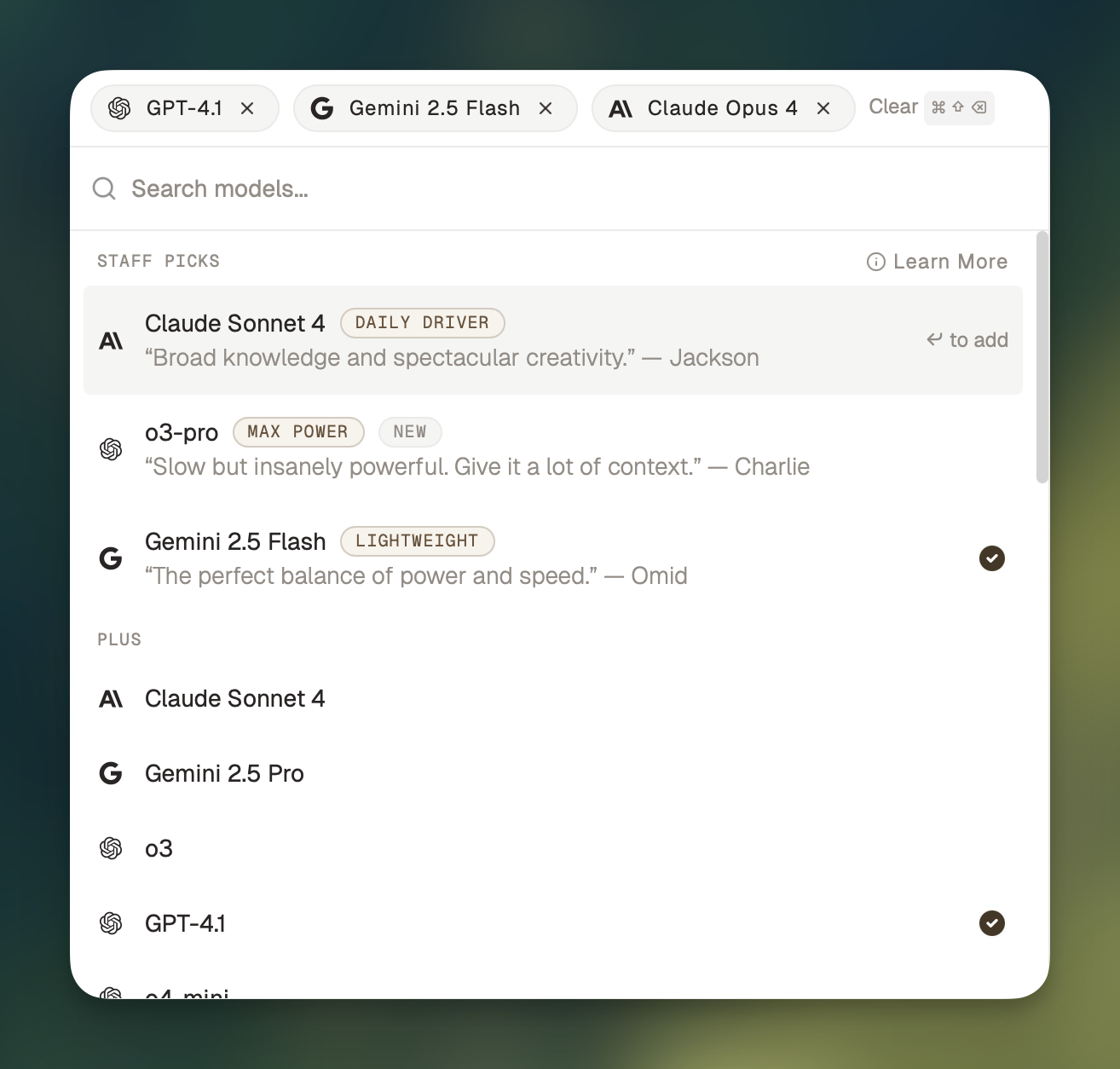 Using multiple models at once can help you collect different perspectives, spot mistakes and hallucinations, and gain confidence.
To use multiple models in a chat, press ⌘ + J to bring up the model picker, and click on whichever models you want to use.
When you send your next message, the selected models will respond.
## Adding a model to an existing message
You can add a model to respond to a message you already sent by clicking the `Add` button in the row of responses:
## Sending follow-up messages
When you send a follow-up message, the models will respond to the messages that are `In Chat` (highlighted with an orange border).
By default, the leftmost response will be marked as `In Chat`. To mark a different response as `In Chat`, click on that response.
## Changing the order of responses
To change the order the responses will show up in, you can rearrange the models in the model picker:
Using multiple models at once can help you collect different perspectives, spot mistakes and hallucinations, and gain confidence.
To use multiple models in a chat, press ⌘ + J to bring up the model picker, and click on whichever models you want to use.
When you send your next message, the selected models will respond.
## Adding a model to an existing message
You can add a model to respond to a message you already sent by clicking the `Add` button in the row of responses:
## Sending follow-up messages
When you send a follow-up message, the models will respond to the messages that are `In Chat` (highlighted with an orange border).
By default, the leftmost response will be marked as `In Chat`. To mark a different response as `In Chat`, click on that response.
## Changing the order of responses
To change the order the responses will show up in, you can rearrange the models in the model picker: